It’s been a couple of years since the AI hype really took off and if you’re a professional software engineer like me, you’ve probably already found places where it genuinely improves your workflow. At the same time, you’ve also likely realized that despite all the noise online about AI replacing engineers, that’s not really what’s happening. If you’re deep in the IT business, you most likely already know there are still many other reasons why you can lose your job long before AI becomes a replacement for the actual work that you do.
But there’s one more thing I keep noticing more and more and every time I see it, I end up asking myself the same question:
Have we forgotten how to use non-AI tools?
A while ago, I was on a call sharing my VS Code screen when one of my snippet shortcuts expanded into a full block of code instantly. Someone immediately asked:
“Wow, that’s great – what AI is that? Can you share the skill or the prompt?”
That reaction stuck with me because VS Code snippets have been part of my workflow for years, to the point where I don’t even think about them anymore. For me, they’re just “how you code.” But that reaction made me realize how many people now assume that anything efficient must be AI. And it’s not just about VS Code snippets – I increasingly see people reaching for AI for things like:
- searching for text in a codebase – when a simple grep or IDE search would be faster
- renaming functions – which most IDEs already handle in one click (or via basic find & replace if needed)
- looking up command documentation – when man pages or official docs are instantly available
And to be clear – AI is useful, I use Copilot on a daily basis in VS Code, but not every automation or productivity problem needs AI-based solution. What’s even more interesting is that when you think about that, you realize that a lot of engineering work sits somewhere between:
- manual typing of single word or pasting already copied content
- asking AI to generate big chunks of implementation across multiple files
Between these two sit small implementation changes and minor bug fixes for which you already know exactly which 5-10 lines need to be written. You just don’t want to type – them or the prompt to get them. That’s where snippets fit for me.
Because this workflow gap feels real, I published a repository with nearly 100 VS Code snippets for C++, Python, CMake and Bazel that I use regularly myself. They’re logically organized and named to make them easy to learn to help you speed up your own workflow as well:
Bellow you can find 8 examples of these snippets (2 out of each category).
C++
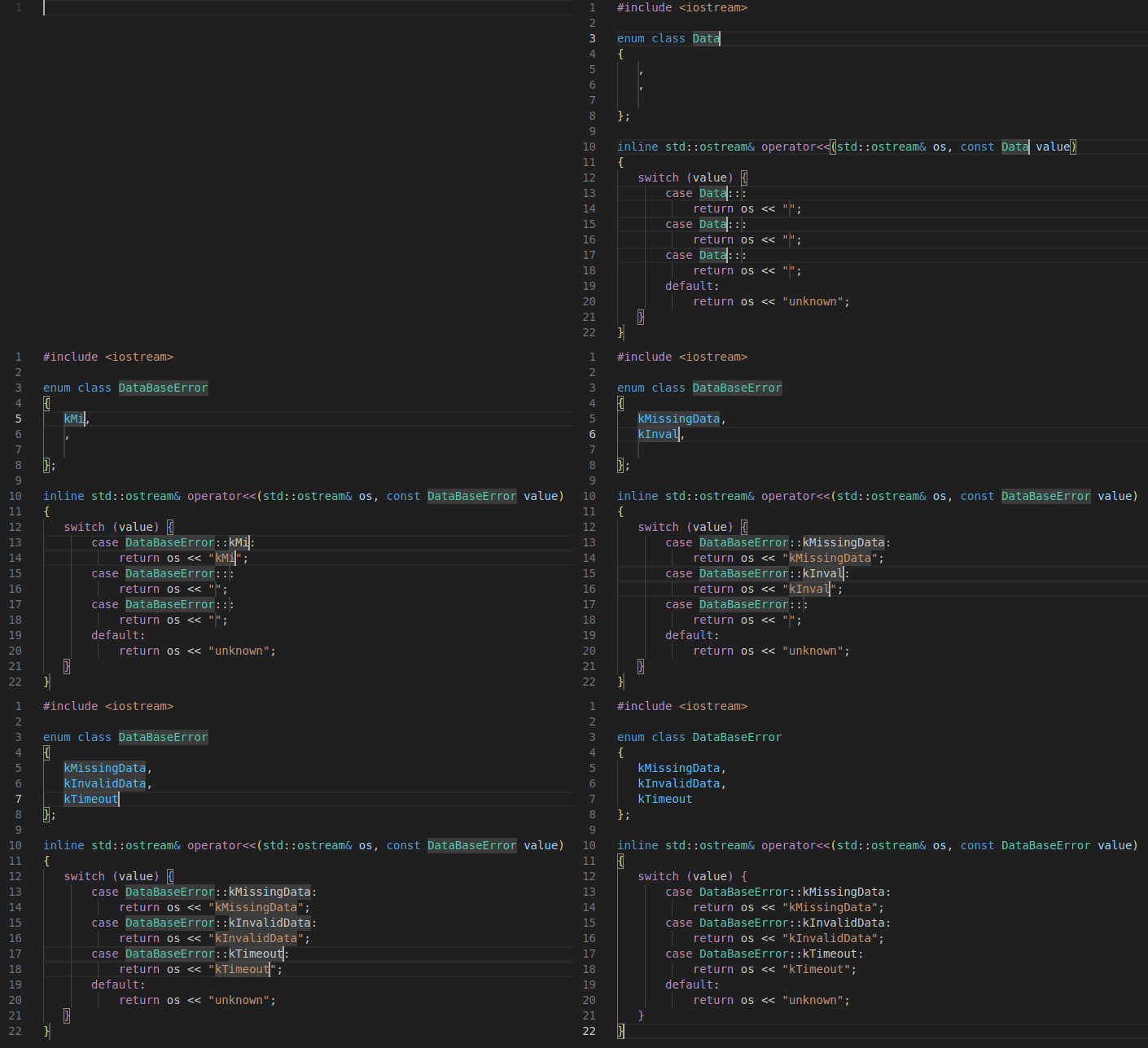
Creating enums and their stream operators at once
Snippet is called cenco3 (abbreviation for C++ ENum Class Operator and 3 values) and lets you define the enum class and its dedicated output stream operator to use it with std::cout or loggers operating on standard streams.
Including file relative to the project root
Snippet is called inrel (abbreviation for INclude RELative path) and lets you include something from the current directory by providing a path relative to the project root.

Python
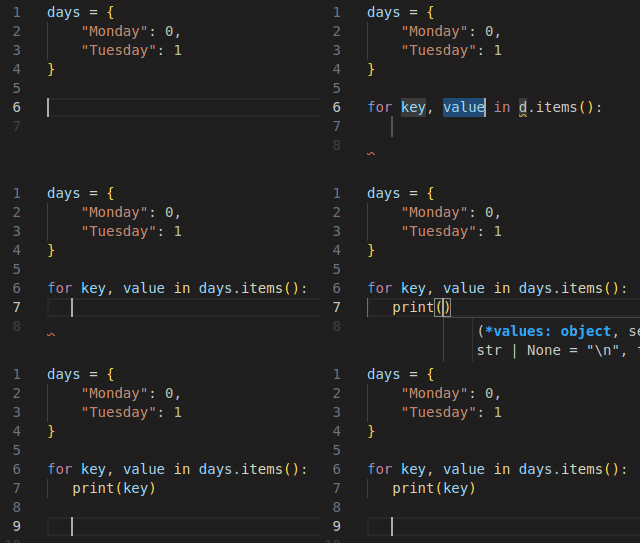
Iterating over dictionary items
Snippet is called pford (abbreviation for Python FOR item in Dictionary) and lets you insert for loop loop over dictionary items skeleton.
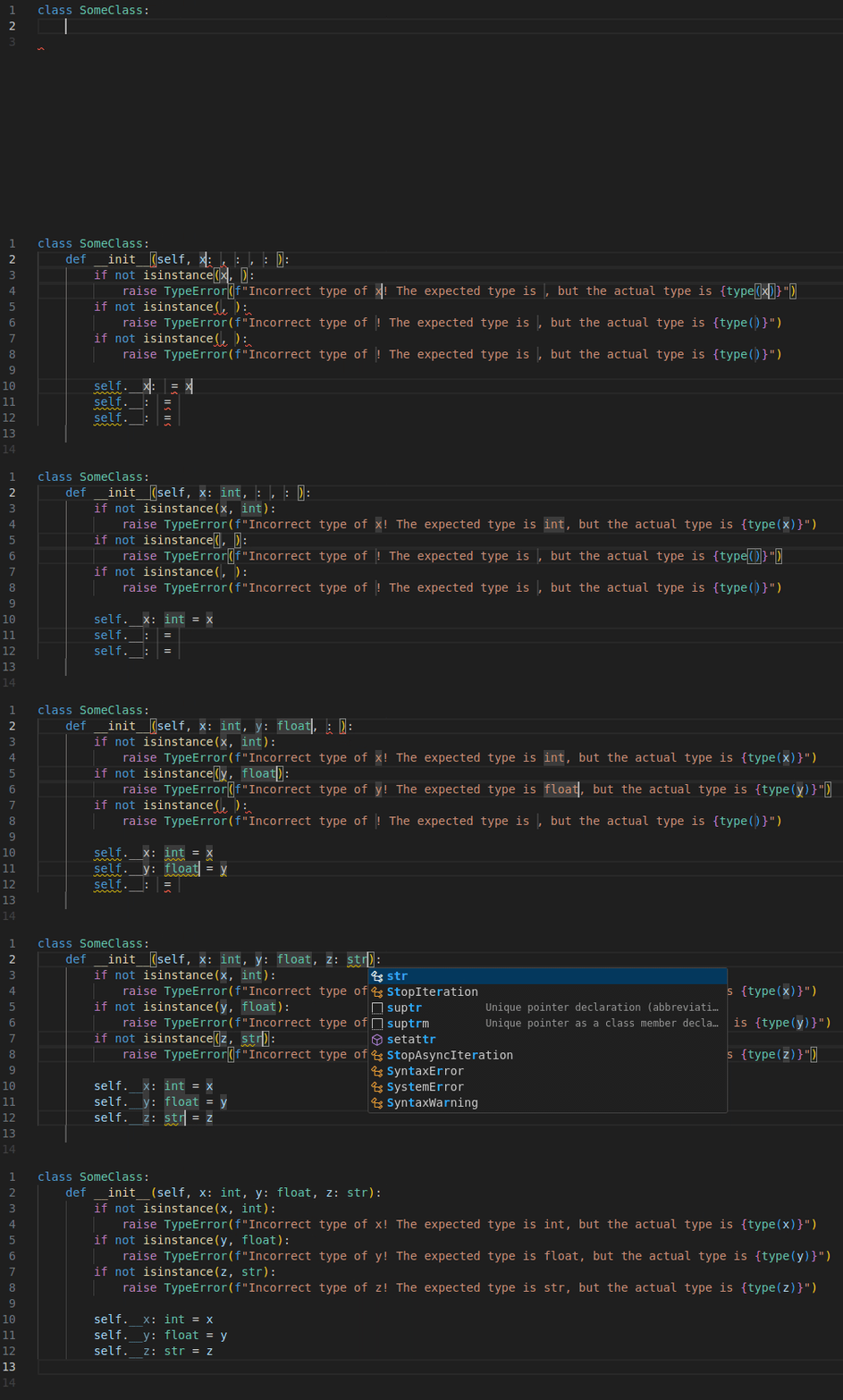
Creating constructor which checks types
Snippet is called dconc3 (abbreviation for: Define CONstructor with 3 argument and Check type) and lets you insert a class constructor which first checks whether the provided objects match the type from the type annotiations and then creates private members with the same name as the constructor’s arguments.
CMake
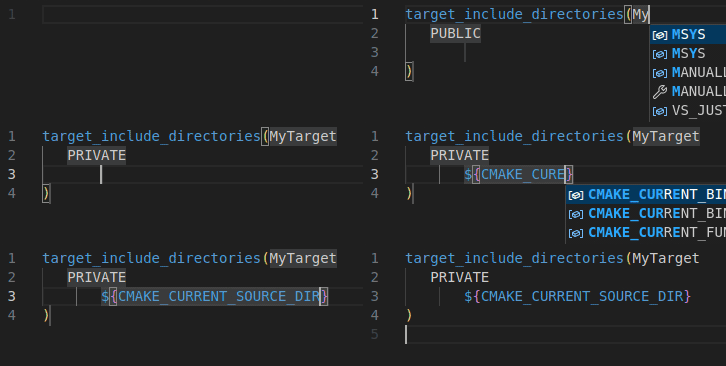
Add target include directories
Snippet is called cmtid (abbreviation for: CMake Target Include Directories) and lets you insert include directories and choose scope keywords from the predefined list.
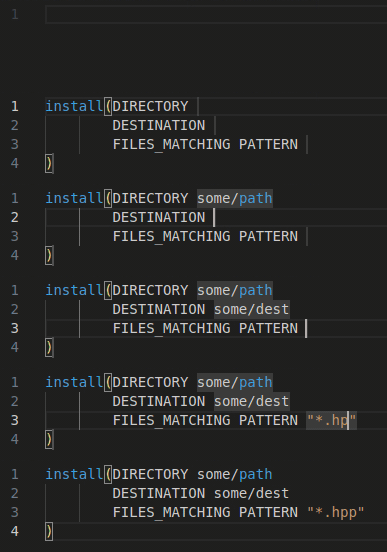
Install directory with pattern matching
Snippet is called cmindp (abbreviation for: CMake INstall Directory with Pattern) and lets you define installation step by providing only the important parts of the entire statement.
Bazel
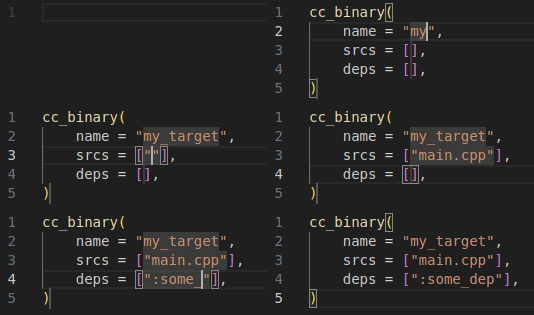
Creating C/C++ binary target
Snippet is called bcbin(abbreviation for: Bazel Cc_BINary) and lets you insert a cc_binary skeleton.
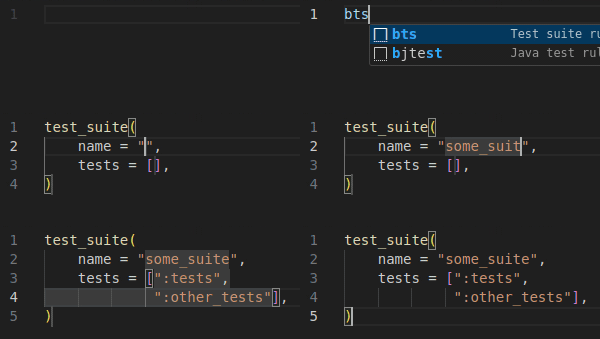
Creating test suite
Snippet is called bts (abbreviation for: Bazel Test Suite) and lets you insert Bazel’s test_suite.
Summary
I really encourage you to explore the rest of the free snippets because having a solid and reliable toolkit is what actually gets you closer to being a 10x engineer. You can download them from piko::snippets GitHub repo.
Read also:
- If not Python venv, then what?

- C++ AI-generated code that looks fast, but is actually slow

- 10 VS Code snippets essential for every Python developer

- Bug of the week #13

- git log tricks you really should know

- Surprisingly necessary explanation of Python venv
- When AI gets C++ bitmask enums almost right
- 10 VS Code snippets essential for every C++ engineer
- Storing your ATTiny program in…EEPROM?

- Bug of the week #12
- Sharing variable between bash scripts

- A 40-line LLM-based bash command executor in Python
- GTest and short-circuit evaluation in C++
- AI is powerful. Snippets are instant.
- From AUTOSAR to S-Core: the first C++ pub/sub implementation
- How to write Arduino Uno code with Python?
- Combining Bazel with Docker

- Running commands with timeout on Linux
- Running Python unit tests with CMake
- Thirdparty dependencies with FetchContent
- Bug of the week #11
- Combining CMake with Docker
- How to search the internet from Linux terminal?
- Folding expressions in C++
- How to derive from an enum in Python?
- Bug of the week #10
- Trying ROS2: client/server within a single container
- Make C++ a better place #4: Go as an alternative

- How to convert hex to dec in Linux terminal?
- Setting up a Python project with CMake
- Separating builds for different configs with Bazel
- Trying ROS2: pub/sub within a single container
- Bug of the week #9
- UDP multicasting with Python
- Destruction order vs thread safety in C++
- Let’s review some code: C++ #2

- Make C++ a better place #3: D as an alternative
- Registering callback using std::function in C++
- Bug of the week #8
- TCP client/server with Python
- Simple menus in Bash scripts with select
- Calling member function on a nullptr in C++
- Bug of the week #7
- Python lru_cache explained
- How to dockerize a Python application?
- Make C++ a better place #2: CppFront as an alternative
- Parameters combinations in GoogleTest
- Data transfer with curl
- Python reduce explained
- Bug of the week #6
- Custom literals in C++
- Linux and hash command
- 5 Python good practices which make life easier
- Let’s review some code: Python #1
- Make C++ a better place #1: What does better mean
- Enums vs enum class in C++
- Bug of the week #5
- UDP client/server with Python
- Hard links in Linux
- Functions calling order in unit tests in C++