Why use snippets in the era of AI agents?
Modern AI tools can generate Python code at an impressive speed. Scaffolding APIs, generating test suites, building CLI tools or spinning up entire modules – a well-written prompt can produce all of them in seconds or minutes. At first glance, that makes VS Code snippets feel almost obsolete.
In practice, they solve a completely different problem.
Most experienced Python developers spend a large part of their day handling small, repetitive implementation tasks. Things like setting up a logger, creating a dataclass, writing a context manager, adding a typed function definition or scaffolding a test case are not difficult problems. They are familiar patterns. Opening an AI assistant for every one of those tasks quickly becomes inefficient.
The issue is not generation speed. The issue is interruption.
Using AI for tiny recurring tasks often forces you out of your editor and into a mini feedback loop: describe the problem, wait for the response, inspect the code, adjust formatting and align everything with your project standards, maybe re-prompt to iterate on the solution provided by AI. Even when this process only takes a few minutes, it repeatedly breaks concentration throughout the day.
That loss of focus adds up.
Snippets keep you inside the editor and inside the problem you are solving. Instead of starting a conversation with an AI assistant, you trigger a pattern you already know you need. AI tools are extremely useful when you need:
- experimentation
- architecture ideas
- quick prototypes
- first drafts
Snippets shine when you need:
- speed
- consistency
- repeatable structures
- uninterrupted flow
The biggest advantage of snippets is predictability. They do exactly what you expect every single time – no need for reviewing generated output for subtle or inconsistencies. Just trigger, expand and continue coding.
In this article, I’ll show you 10 VS Code snippets that can noticeably improve the daily workflow of almost every Python developer. You can download all of them for free from my GitHub repository.
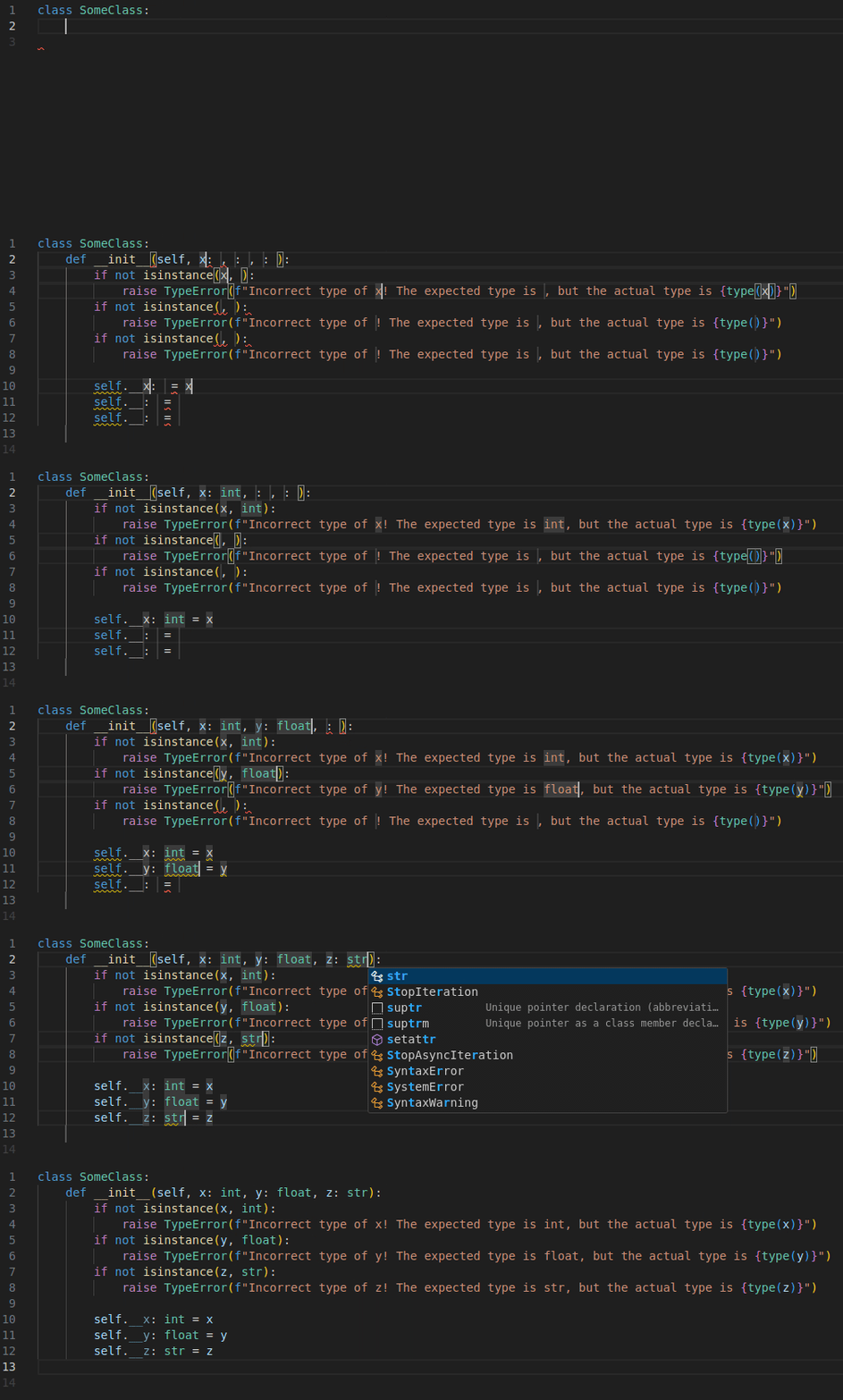
Constructor with the given number of inputs and checks for their types
Snippet is called dconc3 (abbreviation for: Define CONstructor with 3 arguments and Check types) and allows you to create a full class constructor definition which before assigning the variables to the class private members (called in the same fashion as the constructor input arguments), checks if their actual types match the type annotations.
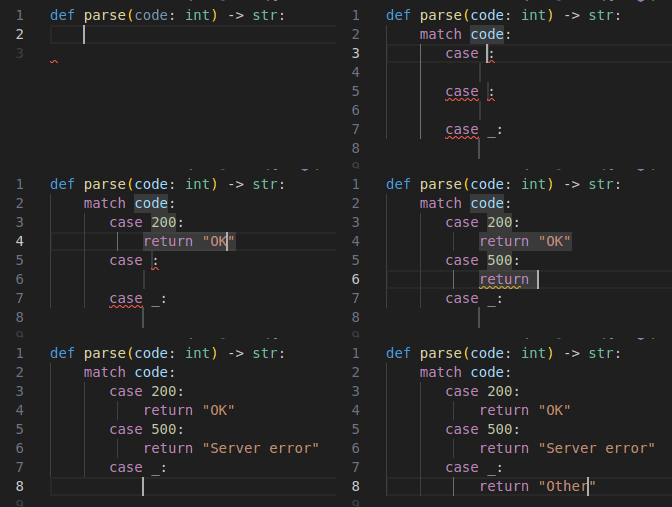
Match with the given number of cases
Snippet is called pma2 (abbreviation for: Python MAtch with 2 cases) and allows you to generate a match statement with 2 cases and the default.
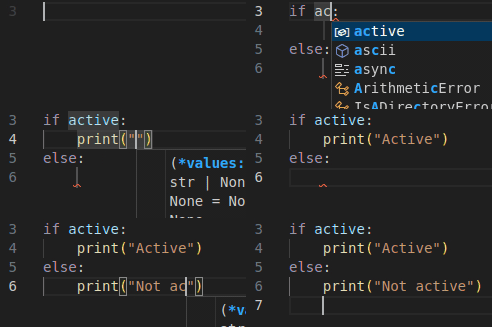
If/else condition
Snippet is called pife (abbreviation for: Python IF Else) and allows to ti insert standard if/else statement in which the cursor jumps: condition -> if body -> else body.
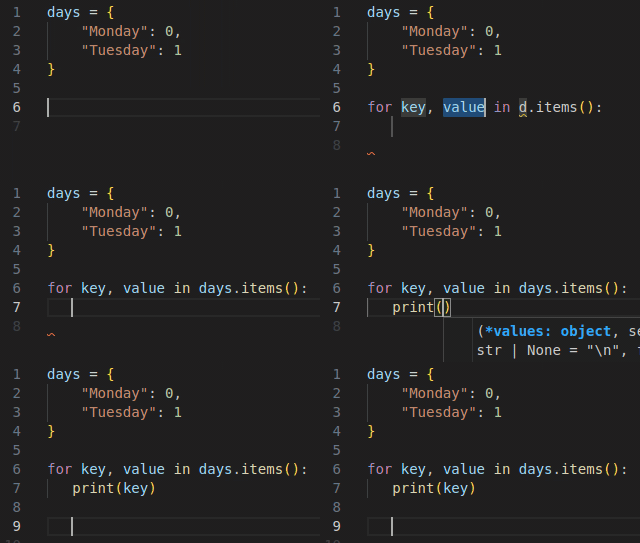
Iterate over dictionary items
Snippet is called pford (abbreviation for: Python FOR item in Dictionary) and allows you to generate a for loop over dictionary items with the predefined variables names (which you can change while jumping over them).
Enumerate over elements
Snippet is called pforen (abbreviation for: Python FOR ENumerate) and allows you to create a for loop which enumerates the items in the give container.
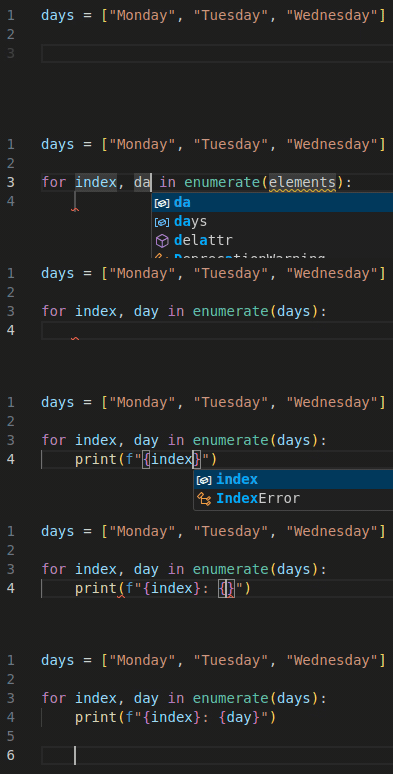
New logger creation
Snippet is called lognew (abbreviation for: LOGging create NEW logger) and allows you to insert a new logger instance together with its context name.
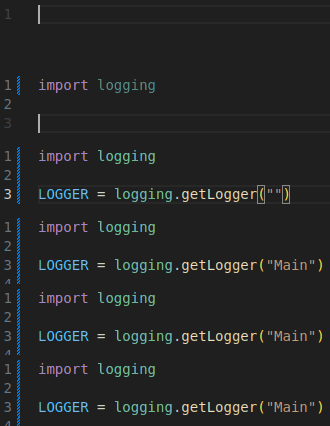
New dataclass definition
Snippet is called ddc (abbreviation for: Define DataClass) and allows you to generate a new dataclass together with its mandatory import.
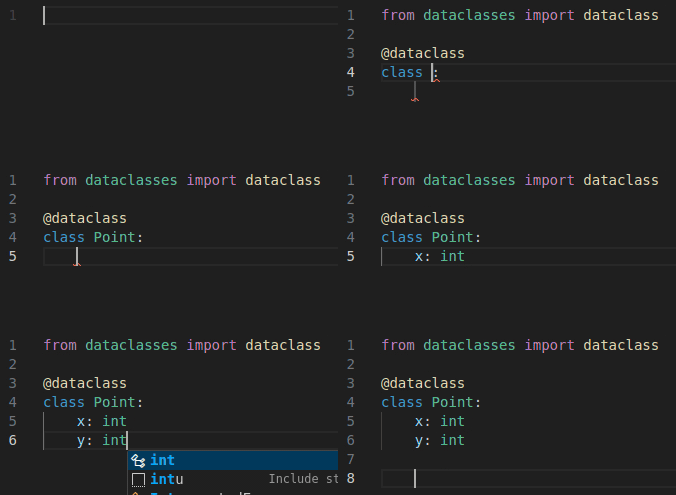
From … import …
Snippet is called fim (abbreviation for: From x IMport y) and allows you to import any type from the given standard or custom path.
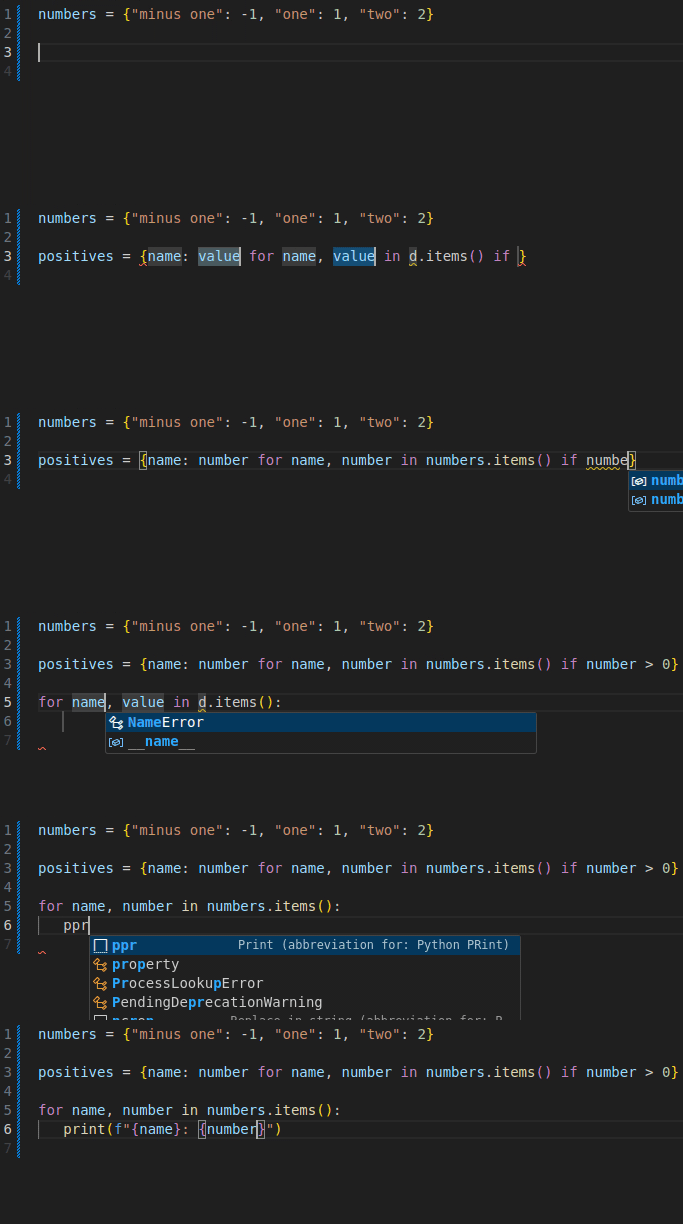
Conditional dictionary comprehension
Snippet is called pdci (abbreviation for: Python Dictionary Comprehension If) and allows you to create a conditional dictionary comprehension.
Check if is instance
Snippet is called pifii (abbreviation for: Python IF Is InStance) and lets you insert an if statement checking for the object’s type using isinstance.

Read also:
- If not Python venv, then what?

- C++ AI-generated code that looks fast, but is actually slow

- 10 VS Code snippets essential for every Python developer

- Bug of the week #13

- git log tricks you really should know

- Surprisingly necessary explanation of Python venv
- When AI gets C++ bitmask enums almost right
- 10 VS Code snippets essential for every C++ engineer
- Storing your ATTiny program in…EEPROM?

- Bug of the week #12
- Sharing variable between bash scripts

- A 40-line LLM-based bash command executor in Python
- GTest and short-circuit evaluation in C++
- AI is powerful. Snippets are instant.
- From AUTOSAR to S-Core: the first C++ pub/sub implementation
- How to write Arduino Uno code with Python?
- Combining Bazel with Docker

- Running commands with timeout on Linux
- Running Python unit tests with CMake
- Thirdparty dependencies with FetchContent
- Bug of the week #11
- Combining CMake with Docker
- How to search the internet from Linux terminal?
- Folding expressions in C++
- How to derive from an enum in Python?
- Bug of the week #10
- Trying ROS2: client/server within a single container
- Make C++ a better place #4: Go as an alternative

- How to convert hex to dec in Linux terminal?
- Setting up a Python project with CMake
- Separating builds for different configs with Bazel
- Trying ROS2: pub/sub within a single container
- Bug of the week #9
- UDP multicasting with Python
- Destruction order vs thread safety in C++
- Let’s review some code: C++ #2

- Make C++ a better place #3: D as an alternative
- Registering callback using std::function in C++
- Bug of the week #8
- TCP client/server with Python
- Simple menus in Bash scripts with select
- Calling member function on a nullptr in C++
- Bug of the week #7
- Python lru_cache explained
- How to dockerize a Python application?
- Make C++ a better place #2: CppFront as an alternative
- Parameters combinations in GoogleTest
- Data transfer with curl
- Python reduce explained
- Bug of the week #6
- Custom literals in C++
- Linux and hash command
- 5 Python good practices which make life easier
- Let’s review some code: Python #1
- Make C++ a better place #1: What does better mean
- Enums vs enum class in C++
- Bug of the week #5
- UDP client/server with Python
- Hard links in Linux
- Functions calling order in unit tests in C++